 Email: cqcmedisolutions@gmail.com
 Telephone: 0800 689 1061
 Whatsapp us: 07956776114


Your compliance, built for your sector, not somebody else's.
MediComply is your all-in-one CQC compliance portal, supporting you from application to assessment. Cloud-based, tailored to your service, and set up by a compliance consultant not handed over as an empty system.
100+
Compliance templates
40+
Digital audits
50+
CPD courses
∞
Users per site
1
Login for all of it
£500
Annual mock, included
What MediComply replaces
 Paper audit formsThe policy folderA separate training portalRota appLeave and absence spreadsheetStaff file cabinetDBS tracker spreadsheetIncident bookComplaints logSafeguarding logRisk register documentWall plannerCalendar remindersThe pre-inspection panic folder
One login, one audit trail, one place an inspector is taken to.
Compliance tracking, documents, training, audits, HR and reporting in a single cloud based system, so your evidence is centralised rather than spread across a drive, three inboxes and a filing cabinet.
Your portal is built for your service, before you log in
All in one is only useful if the one system is the right one. Compliance is not the same job in every service, and neither is the evidence you have to produce for it. Most software ignores that, hands every provider the same platform, and leaves you to work out which two thirds of it does not apply to you. Multi-disciplinary services get the worst of it, because nothing on the market expects one provider to run three different things under one registration. We do.
Generic compliance software
 One system for every provider, whatever they doHundreds of templates, most of them irrelevant to youTasks for services you do not run cluttering your calendarYou build your own schedule from a blank calendarA login, a welcome email and good luckTraining charged as an extra, or a video library
MediComply
 Configured to your service type before you log in
 You see the templates that apply to you, and nothing else
 Your activity calendar reflects your actual obligations
 We build the schedule with you during setup
 A consultant sets it up and walks your team through it
 Unlimited training for as long as you are with us
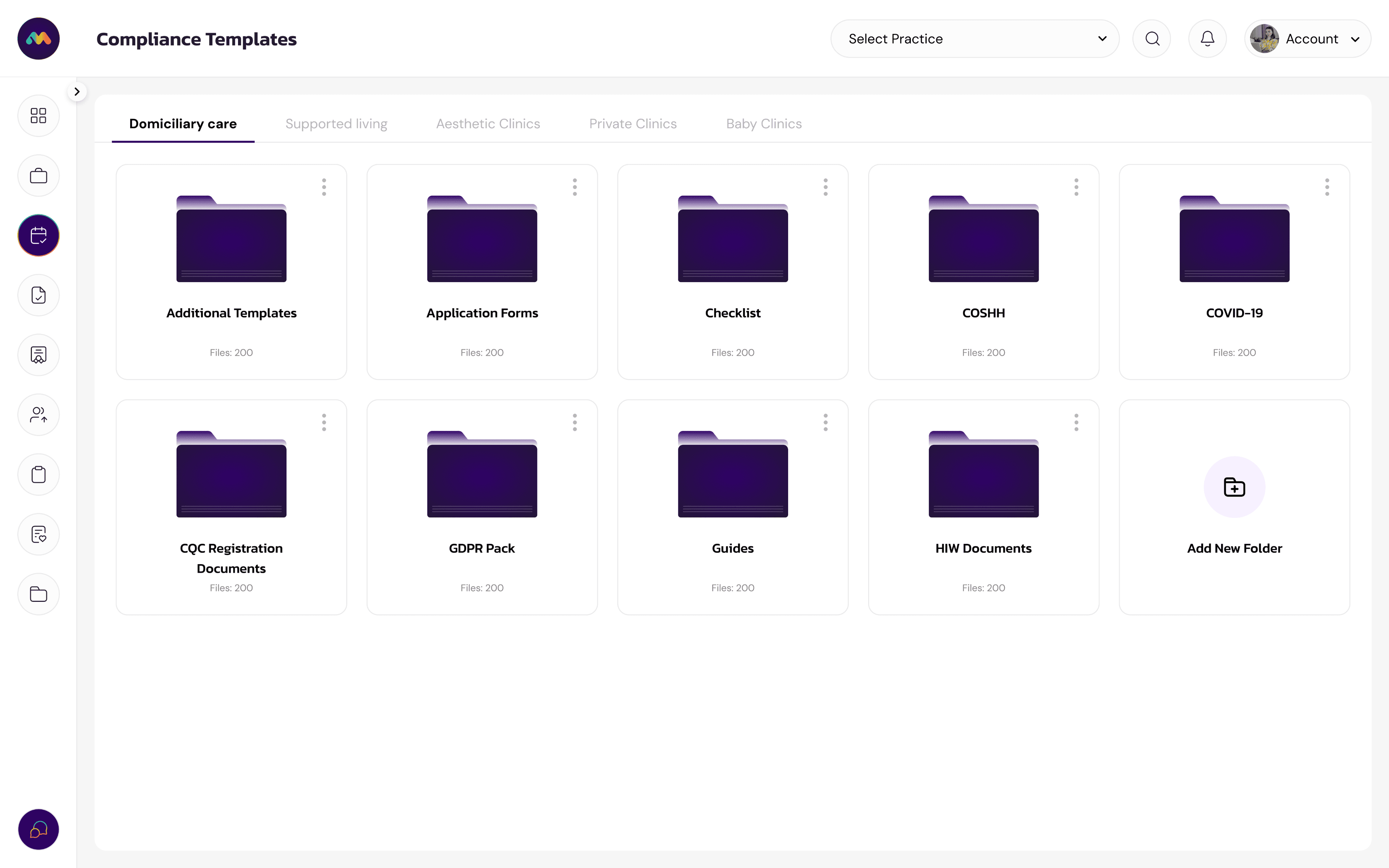
Open your library and every document in it was written for the service you actually run.
Audits, checklists, policies, logs, risk assessments, guides, signage and CQC interview resources, filed by type, ready to use. Not a search box over a thousand generic files, and not a starter pack you have to rewrite before it means anything.
Log in as a different type of service and the library is different, because the obligations are different. Download what you need one at a time, or pull the whole set down in bulk.
Your portal, your way. And if we have missed something, you add it yourself.
You are not locked into what we configured on day one. Add your own tasks, your own audits, your own frequencies and your own documents whenever your service changes, takes on a new activity, or an insurer asks for something we could not have known about. Rename things to match the language your team already uses. The portal bends to your service rather than the other way round.
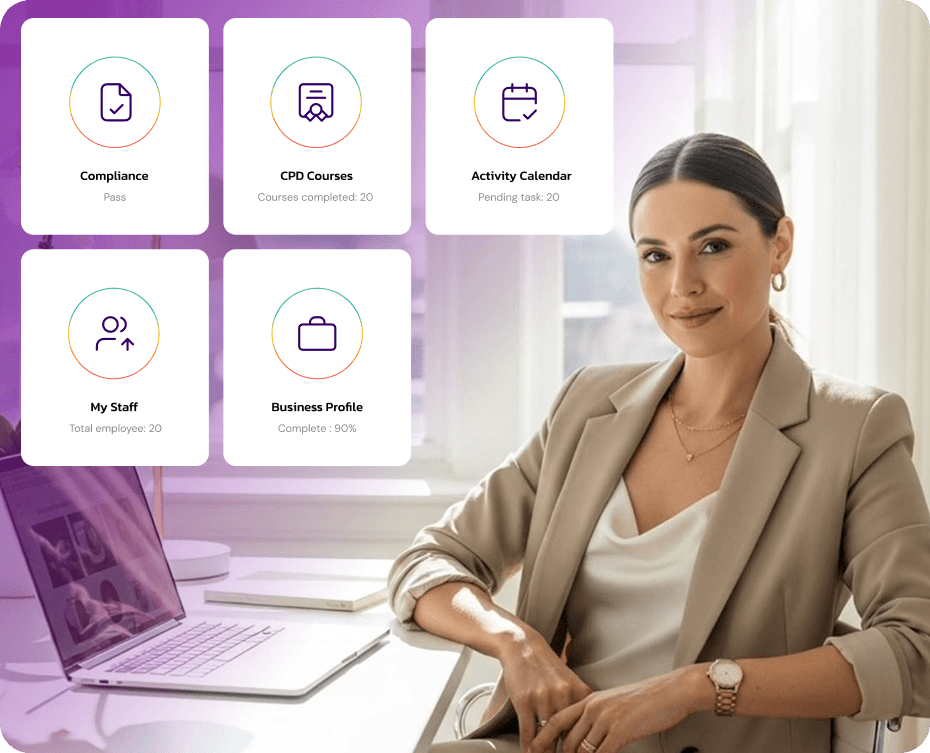
The regulated activities
Open the ones that sound like your service. Most providers register for more than one, and the combinations are where applications usually go wrong.
Domiciliary Care
Our software is designed to streamline and enhance the operations of your domiciliary care business, providing you with the tools to deliver exceptional care while optimizing efficiency. With features like customizable care plans, you can tailor support to meet each client's unique needs, ensuring person-centered care. Real-time scheduling and staff management tools simplify workforce coordination, reducing administrative burdens and minimizing errors.
Supported Living
Our software is specifically designed to meet the needs of supported living businesses, offering robust tools and features to streamline your operations and enhance the quality of care. We provide comprehensive assistance with your CQC application and registration, ensuring your business meets all regulatory requirements right from the start. With tools for creating personalised support plans, managing staff schedules, and maintaining secure, compliant records, our software helps you deliver consistent, high-quality care.
Hair Transplant Clinic
Our software is built to support the unique needs of hair transplant clinics, offering a range of features that streamline operations and ensure compliance with industry standards. We assist with digital audits and risk assessments, helping you identify and address potential areas of improvement efficiently. With mock inspection tools, your clinic can prepare thoroughly for regulatory evaluations, ensuring you meet all required standards. Additionally, our platform includes customisable policies, allowing you to tailor protocols to your clinic's specific needs.
Private Clinics
Our software is specifically designed for private clinics registered with the CQC, offering a range of features to streamline operations and ensure full compliance with regulatory standards. We assist with digital audits and risk assessments, enabling you to identify and address potential issues efficiently. Our mock inspection tools prepare your clinic for regulatory evaluations, while our customisable policies allow you to tailor procedures to your specific needs. Additionally, we provide comprehensive preparation for the CQC registered manager interview, equipping you with the knowledge and confidence to succeed.
Never miss a mandatory task
This is the part of MediComply that does the remembering for you, so nothing depends on one person holding the whole compliance year in their head. Every obligation your service has, scheduled at the frequency it has to happen.
Checks and logs
Opening checks, fridge temperatures, equipment logs, whatever your service requires.
Routine tasks
Stock, cleaning schedules, spot checks and team briefings.
Audits
Infection control, medicines, health and safety, records audits.
Reviews
Policy reviews, risk assessment reviews, training refreshers.
The big ones
Full governance review, statement of purpose, insurance and contracts.
Every one of those obligations, scheduled on a calendar somebody built for you.
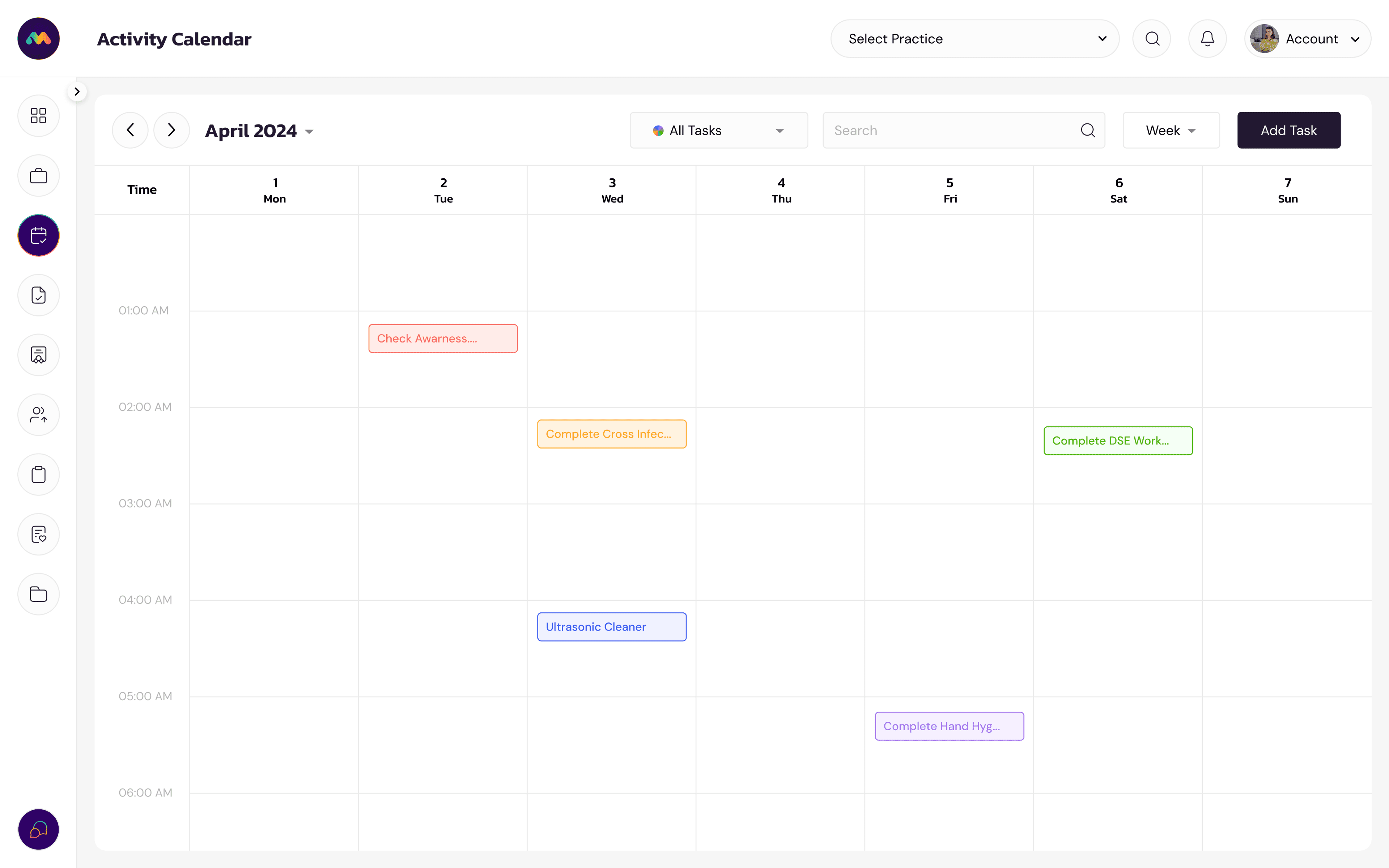
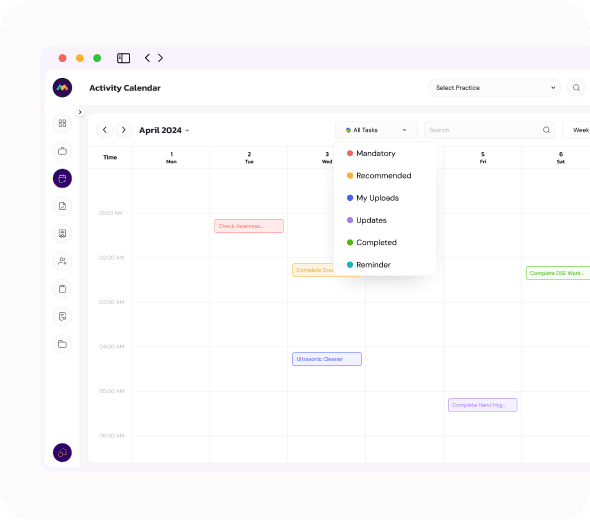
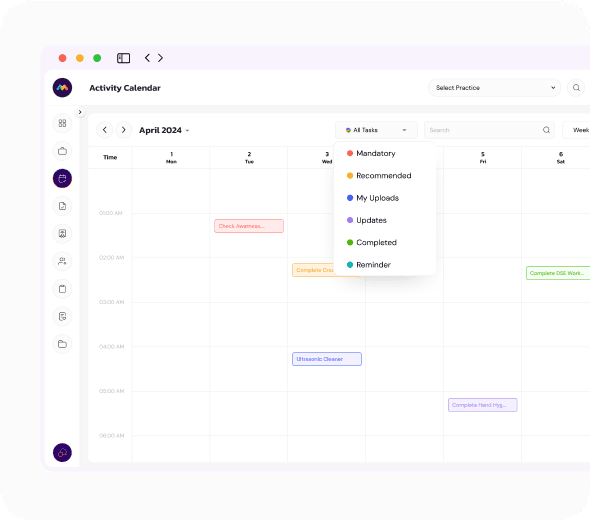
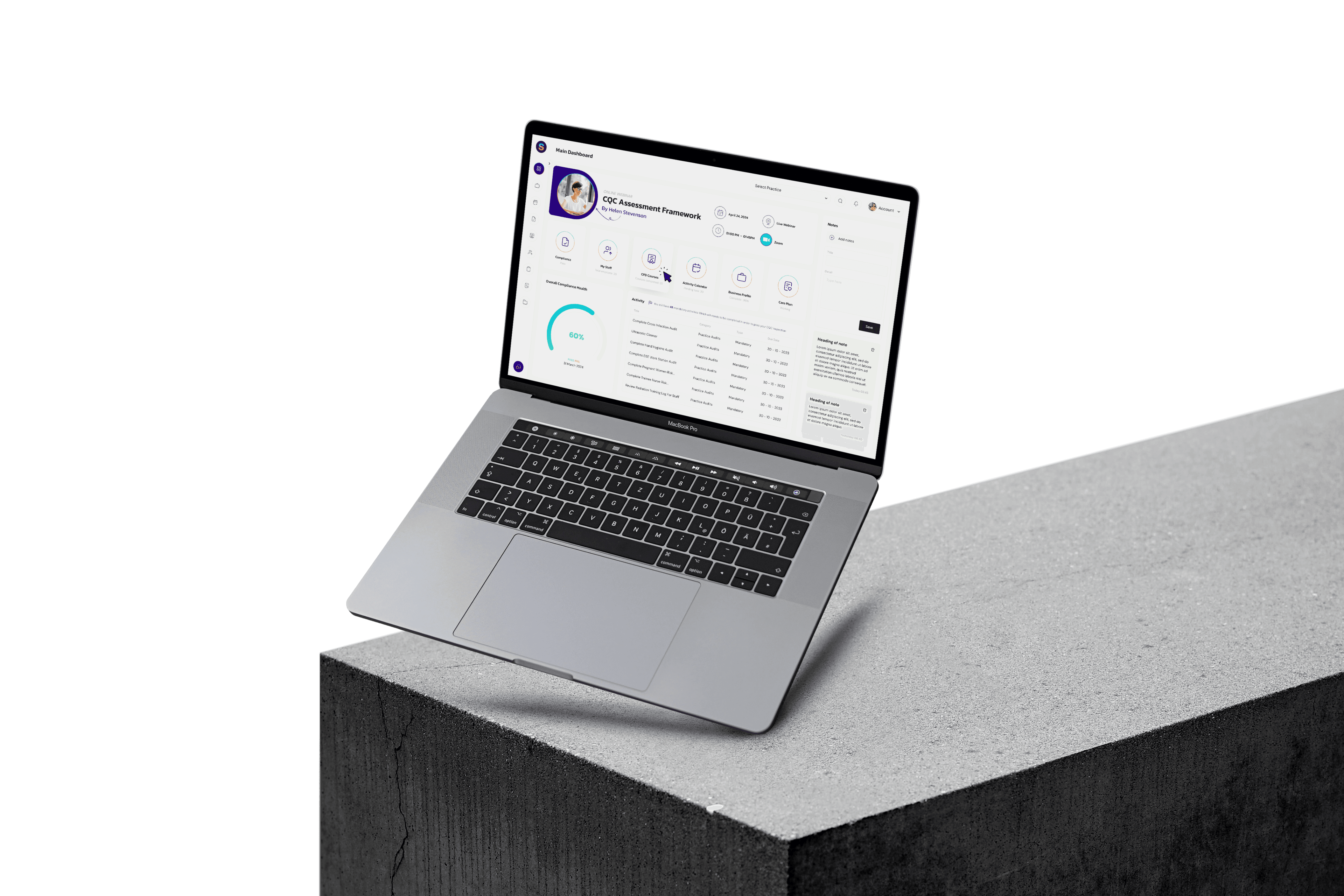
Your activity calendar is populated during setup with the tasks your service actually has to complete, at the frequency it has to complete them. Weekly staff meetings, mental capacity reviews, equipment checks, safeguarding policy reviews, record audits, all of it dated and assigned rather than remembered.
Add your own events at any point, filter by type, and see the month at a glance. Nothing here depends on one person keeping a wall planner up to date.
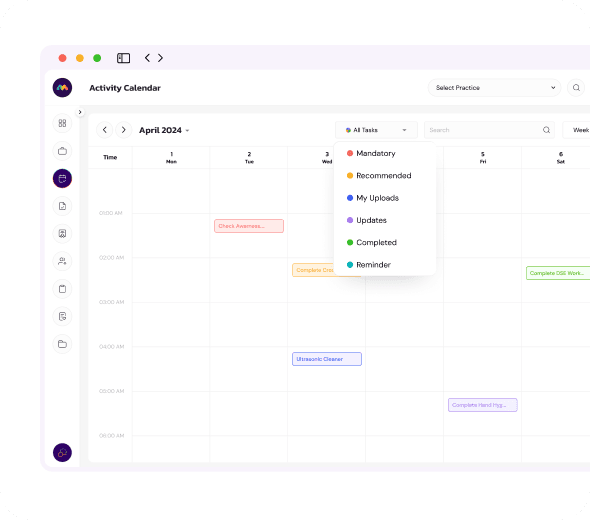
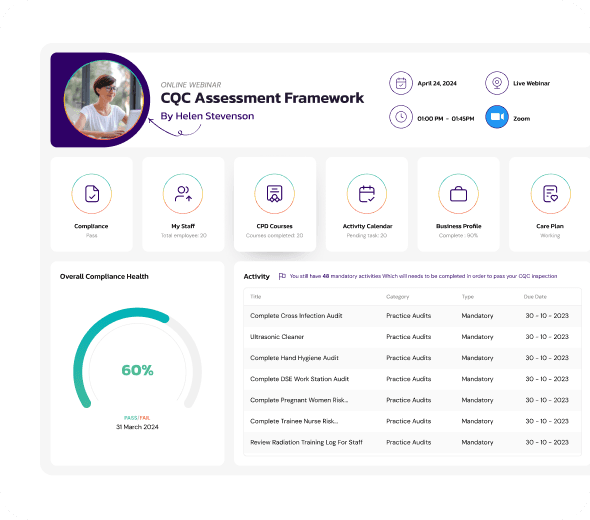
The system reminds you, you complete the task, you attach the evidence, and it is saved for your inspection.
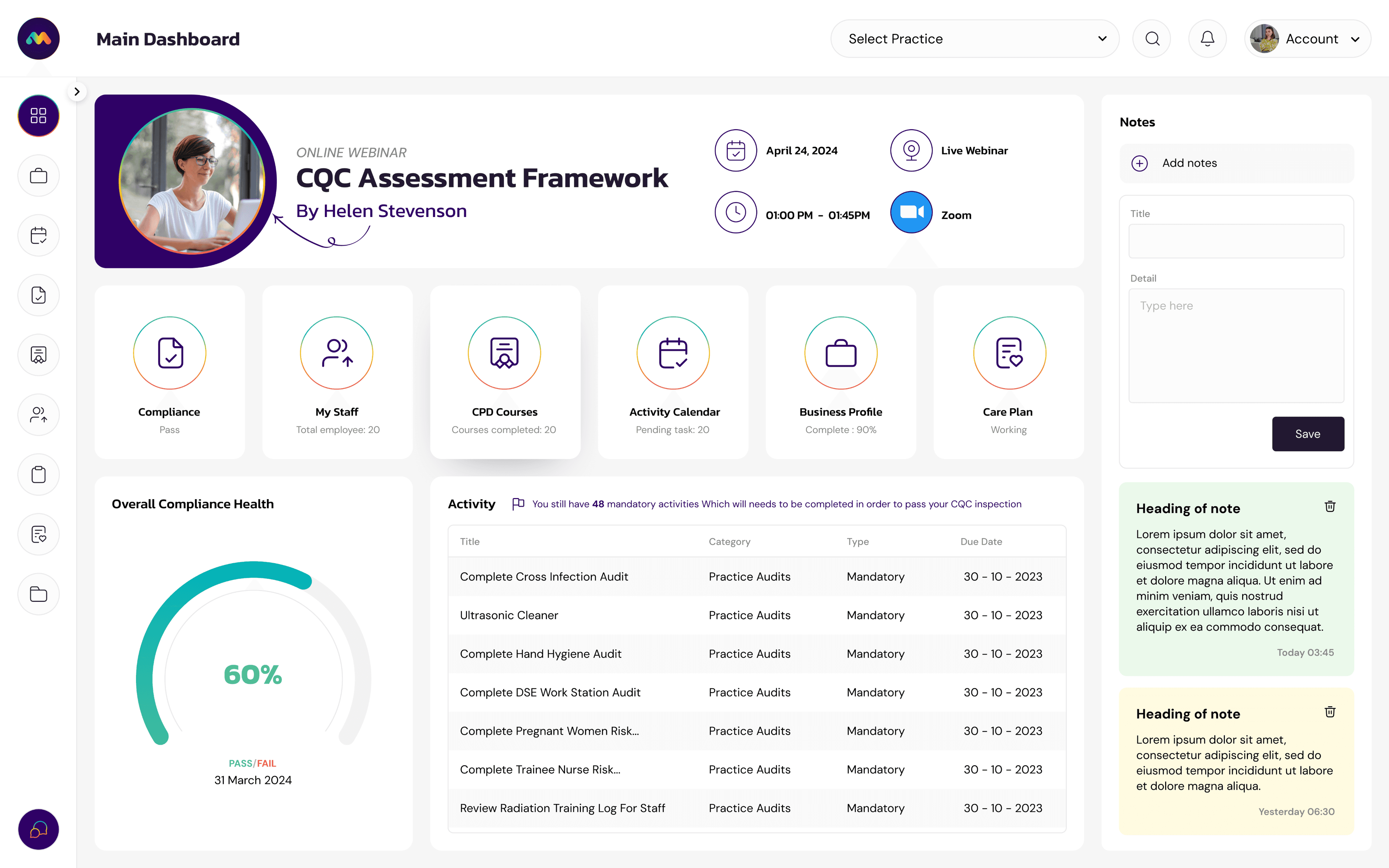
That is the entire loop, and it is why providers who use the portal are not assembling a folder in the fortnight before an assessment. When CQC asks what you did about a specific incident in October, the answer is in the log, with the evidence attached and the date it was completed. The dashboard beside this is the first thing your manager sees each morning: an overall compliance health score, and everything falling due underneath it.
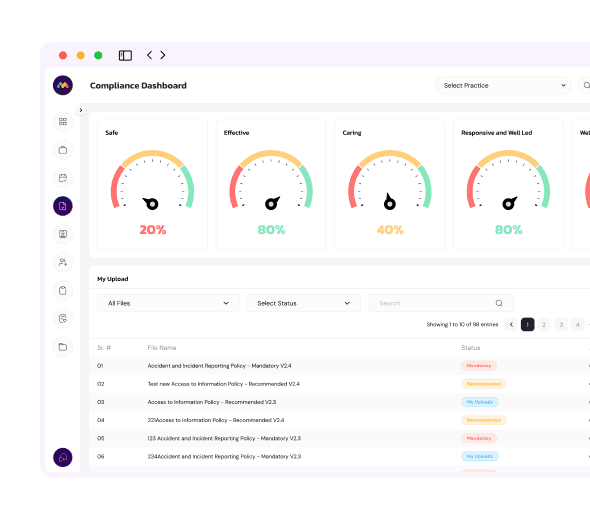
Inspect yourself, whenever you want to know where you stand.
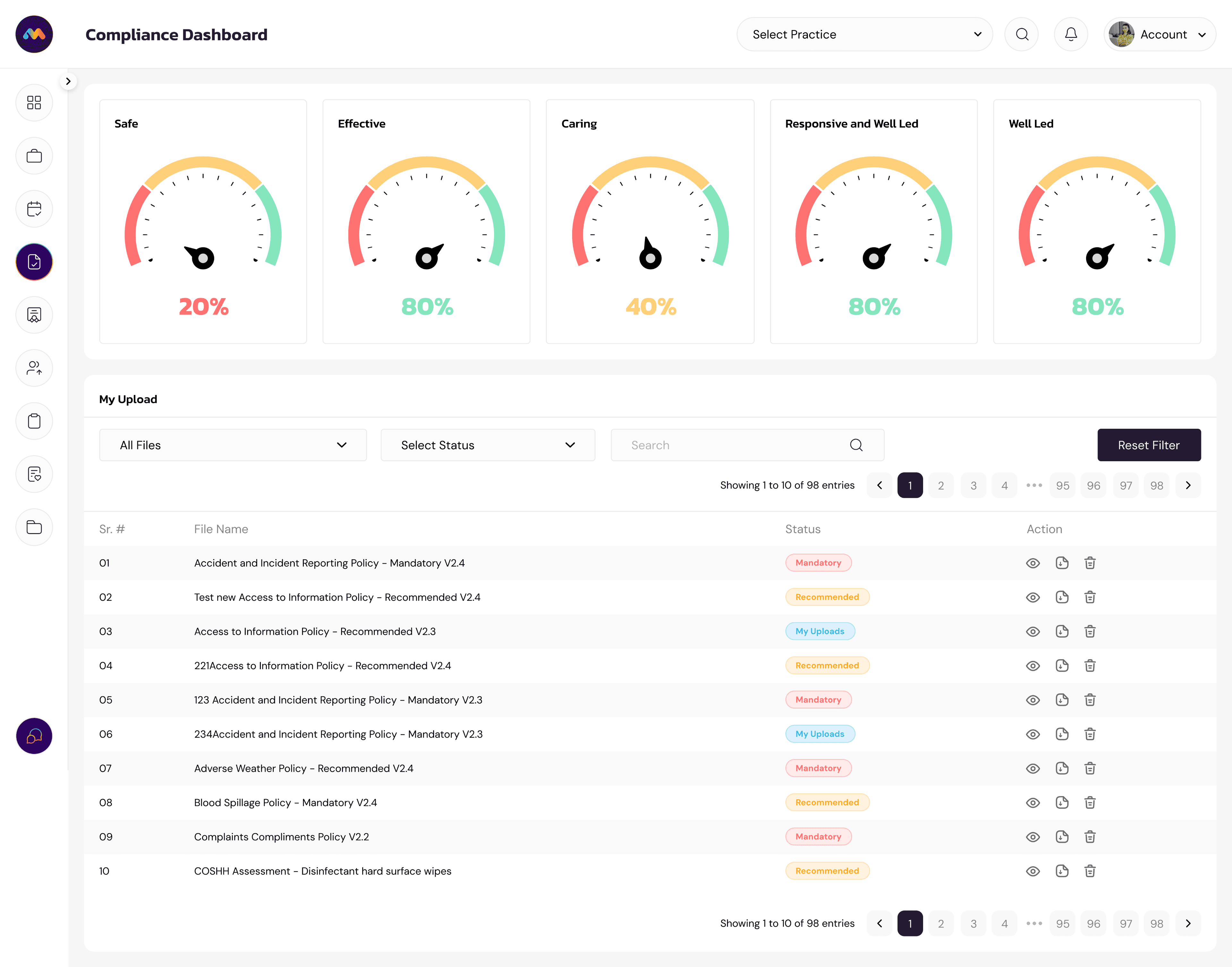
The self mock inspection walks the five key questions, safe, effective, caring, responsive and well-led, and asks you the questions an inspector would ask. Each one tells you the evidence you would need to show, and flags the critical ones where a no appears prominently in your report. You get a score against the pass threshold for each key question, so you know where you stand today rather than where you assume you stand. Run it before a manager starts, after a change of service, or any month you want a straight answer.
Your team, your records, your training
Staff files are where assessments come unstuck more often than clinical practice does. Everything CQC expects to see for each person sits in one place, per site, with no cap on how many people you add.
A missing DBS should be visible to you before it is visible to an inspector.
Add every staff member to the portal and upload contracts, DBS checks, right to work documents, references and qualifications. Mandatory items are flagged as pending until they are there, so the gap surfaces on the dashboard rather than in an assessment. Rotas, availability, leave, absence and overtime run from the same screen, which is also how you evidence that you have thought about safe staffing.
Assign a course, and the completion record becomes your training evidence.
Your team gets a CPD library covering the mandatory training CQC expects, delivered as interactive modules inside the platform. Assign courses to individuals, and required, completed and remaining hours are tracked per person. No chasing certificates by email, and no spreadsheet somebody updates from memory the week before an assessment.
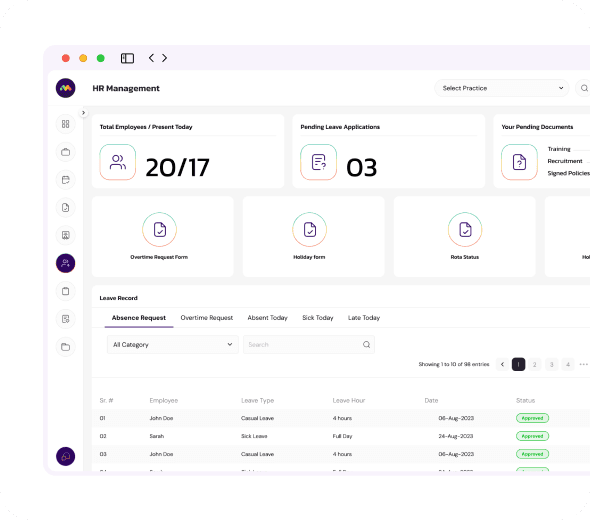

Users
Unlimited users per site
You are not charged per seat, so there is no reason to share a login. Everyone who needs access gets their own, which is also what makes the audit trail worth having.

Incidents
Complaints, incidents and safeguarding
Log complaints, incidents, accidents and safeguarding concerns as they happen, with the actions taken and the outcome recorded against each one. Trends surface in the reporting rather than in a bad assessment.

Reporting
Self mock inspection
Run reports across audits, training, incidents and outstanding tasks. Then run a self mock inspection against the quality statements to see where you would score today, before anyone else does.
If you are applying to CQC
The portal is the same product either way. What changes is which part of it matters first, and what we set up before you log in. For providers who have started, or are about to start, a CQC application.
A CQC application is not hard because the questions are difficult. It is hard because nobody tells you what order to do things in.
Open the portal and you get a task list for your application, in sequence, with the next thing you need to do at the top. Complete a task, upload the document that proves it, and it stays attached to that task rather than sitting in somebody's downloads folder. Every template you are given is the one for your service. An aesthetic clinic does not wade through domiciliary care paperwork to find its own, and a supported living provider is not handed a policy suite written for a dental practice.
 Simplified task list that shows the next action rather than all ninety at onceTemplates specific to your sector, not a generic library you have to filterPolicies and procedures ready to brand and adapt to your serviceEvidence attached to the task it proves, so nothing is lost between draftsYour consultant sees the same screen you do, so reviews happen inside the portalEverything carries forward into the live system on the day you are registered
At your registered manager interview
CQC does not only want to hear that you understand good governance. They want to know what you will actually do on a Tuesday in March, and how you will show it happened. Saying “we will audit quarterly” is an intention. Opening a portal that already holds your audit schedule, your risk assessments, your policy set, your CPD records and your HR folders is evidence. It changes the interview from a set of promises into a demonstration. Registered managers we prepare are able to answer the systems questions by describing something that exists, which is a considerably easier conversation than describing something they intend to build.
Simplified task list that shows the next action rather than all ninety at oncePolicies and procedures in place, version controlled and datedRisk assessments completed with a live risk register behind themLogs for incidents, complaints and safeguarding, ready from day oneCPD records per staff member, with completion datesHR folders holding contracts, DBS checks and right to work documents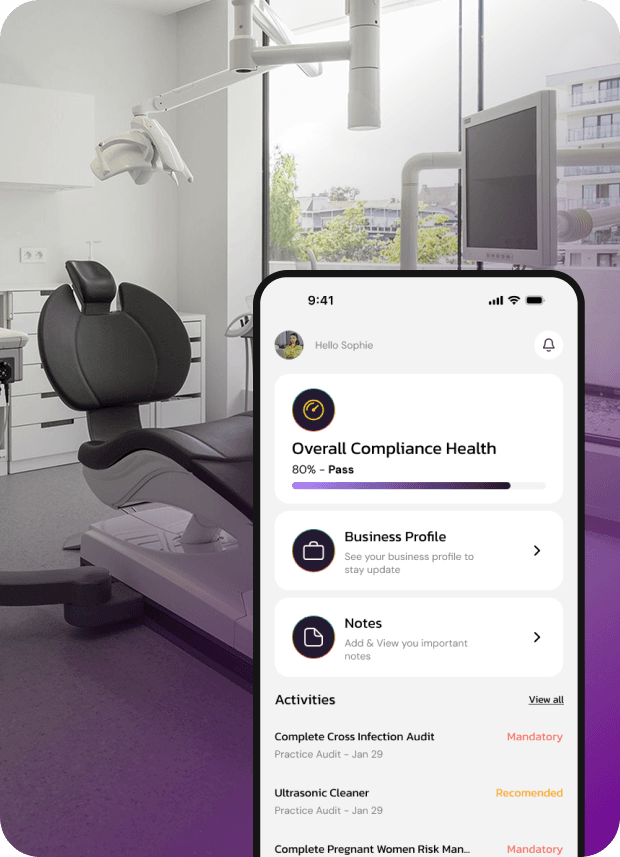
An interview answer with a screen behind it is a different answer.
We cannot guarantee a registration outcome and neither can anyone else. What we can say is that the questions inspectors press hardest on, how you will monitor quality, how you will know when something has gone wrong, how you will evidence it, are much easier to answer when the systems are already running rather than planned.
If you want the coaching alongside the portal, that is our registration with interview preparation package.
Registration with interview preparation
Already registered and want an easier system
They are compliant, they are not new, and they are tired of the way they are having to prove it. There are two versions of that, and we handle both.
You are still on paper
Folders, wall planners, printed audit forms, signing sheets in a ring binder and a spreadsheet somebody keeps a personal copy of. It works, right up until the moment you need to find one specific record from fourteen months ago while an inspector waits.
Nothing is lost when a folder walks, a laptop dies or a manager leavesEvidence is timestamped, so you can prove when something was doneNo printing, no filing, no version confusion over which policy is currentCompleted records are searchable by date, by staff member or by taskAudits are completed on the app while you walk the floor, not typed up afterwardsYour team can be anywhere and still see the same live recordYou have software, but it was never built for your sector
You bought a compliance system, it was designed for care homes, and you run an aesthetic clinic. Half the modules are irrelevant, the templates need rewriting every time, and the team has quietly gone back to a spreadsheet because the system is more work than the work.
Configured to your service before you log in, not a library you filterYour activity calendar matches your real obligations, not a generic scheduleA consultant sets it up, so it is not a project that lands on your managerYou only see the templates, audits and tasks that apply to your serviceAdd your own tasks, audits and frequencies for anything specific to youUnlimited training, so the team actually uses it instead of working around itDigital only counts if the evidence is digital too.
Plenty of providers say they have gone paperless and mean they scan things at the end of the month. That is a filing change, not a systems change, and an inspector can tell the difference: a scanned form proves a document exists, but it does not prove when the task was done, who did it, or that anything happened as a result.
In MediComply the record is created at the moment the task is completed, by the person who completed it, with the evidence attached there and then. You end up with a defensible audit trail rather than a tidier cupboard.
Registration with interview preparation
How we move you across
Your existing dates, documents and history, brought into MediComply without restarting your compliance year.
We look at what you already have
Your existing policies, audit schedule, risk assessments and staff files, whether they are in folders, on a drive or in another system. We work out what carries over and what is out of date.
We build your calendar around your year
Your existing audit dates, review dates and renewal dates are scheduled as they already fall, so you are not restarting a compliance year you are halfway through.
We load it in and fill the gaps
Your current documents go into your portal. Where something is missing or has drifted out of date, we tell you, and our sector templates cover it rather than leaving you to write it.
We train the team, then you run it
Unlimited training for everyone who needs it, including new starters later. Most teams are working in the portal within the first fortnight.
 Worth doing first
Start with the mock, not the migration.
If you have been running for a few years, the useful first step is usually the remote mock inspection, which tells you where your compliance actually stands today. Then the portal gets built around what you need rather than around what you assume you need. Every client gets that mock once a year anyway, so for established providers it simply happens at the start rather than nine months in.

What established providers ask us
The questions below come up on almost every call with a provider who has been running for more than a couple of years.
If your systems genuinely work, do not change them. The providers who benefit are the ones where compliance depends on one person remembering, where evidence is assembled in the fortnight before an assessment, or where nobody could tell you today whether last month's audits were completed. The honest test is this: if your registered manager left on Friday, could somebody else pick up the compliance on Monday without a handover document that does not exist? If the answer is no, the system is that person, not a system.
You are not handed an empty system.
The reason compliance software usually fails is not the software. It is that somebody bought it, logged in once, and never configured it. That does not happen here, because configuring it is our job rather than yours, and we take the time over it that it actually needs.
Setup is a conversation with a compliance consultant, not a welcome email with a password in it.
We go through what you do, what regulated activities you are registered for, how many sites you run, who does what, and where you are currently keeping things. That is the difference between a portal that fits and a portal your team works around.
It takes as long as it takes. We would rather spend the extra time up front than have you discover at assessment that a mandatory task was never on your calendar because nobody asked the right question at the start.
 Your regulated activities mapped to the tasks and audits they requireYour sector template library loaded, so you open the portal to your documentsEvery mandatory task built in at the frequency the regulations requireYour existing dates honoured, so you are not restarting a compliance yearYour own tasks added for anything specific to your service or your insurerYour team set up with the right access, then trained on it properly
We configure your portal
Built around your service type, your regulated activities and the sites you run, before you get your login.
We build your activity calendar
Your daily, weekly, monthly, six monthly and annual tasks scheduled against your obligations, with the reminders set.
An annual remote mock
Every client gets a remote mock inspection once a year, run by a compliance consultant, included in your subscription.
Unlimited training
We train your team on the portal for as long as you need it. Not one onboarding call, and not an extra invoice when you hire someone new.
Your annual remote mock inspection, worth £500.
Once a year, a compliance consultant reviews your portal, your evidence and your records as an inspector would, and tells you what a real assessment would find. Every client gets one, included in the subscription, at no additional cost.
Most providers find something. That is the point of it. Finding it in your mock costs you an afternoon of admin. Finding it in an assessment costs you a rating.
One price, per site, everything included
No setup fee, no per user charge and no training invoices. Setup, configuration, unlimited users on your site and your annual mock inspection are all in the monthly price. A minimum term applies, and we will tell you exactly what it is before you commit to anything.
£99
per month,
excluding VAT
MediComply, fully configured to your sector
Includes portal setup, your activity calendar built for you, unlimited users on your site, the full template and audit library, the CPD course library, and your annual remote mock inspection.
If we are handling your registration, your portal starts on day one.
Everything we build during your application, your policies, your statement of purpose, your evidence, loads straight into MediComply. You begin trading with your compliance already running rather than with a folder of documents nobody opens again. See the registration packages for what that includes.
 What the demo covers
Your sector, your calendar, your questions.
Tell us what you run and we will show you the version of the portal you would actually get.
- The task list and templates for your service type
- How the activity calendar would be built for you
- Staff records, CPD tracking and the rota
- What a self mock inspection looks like
- A straight answer on whether you need it yet

Compliance you can show, on the day someone asks to see it.
Book a demo and we will show you the portal configured for your service. If you would be better off waiting until you are registered, we will tell you that too.